React Native vs Native App Development: 2026 Comparison
Explore React Native vs native app development to understand their key differences. Compare costs, performance, development time, and long-term needs.

Bharat Purohit
Mobile App & Technology Consultant
In this Article
In this Article
- React Native vs Native App Development: Which Approach Fits Your App in 2026?
- 2React Native vs Native: Quick Comparison Table
- 3What is Native App Development?
- 4What is React Native and How Does It Work?
- 5Native vs React Native: Side-by-Side Comparison
- 6React Native vs Native Development: Key Differences
- 7React Native vs Native Development: Which Is Best for Your App?
- 8When to Choose React Native vs Native App Development
- 9Can You Mix React Native with Native Code?
- 10Exploring Other Approaches to Mobile App Development
- 11FAQs on React Native vs Native App Development
Let's Build the Right Solution, Not Just Software.

Summarize with AI
Short on time? Get the key points instantly with AI.
 ChatGPT
 Perplexity
React Native vs Native App Development: Which Approach Fits Your App in 2026?

Quick Answer: The 2026 Consensus
React Native is the better fit when you need iOS and Android apps quickly, from one shared codebase and a tighter budget. Native development (Swift for iOS, Kotlin for Android) is the better fit for graphics-heavy apps, specialized hardware integrations, or experiences that must closely follow each platform's design. For most business apps, such as eCommerce, booking, and dashboards, React Native performs well.
Should you build with React Native or go fully native? Both can deliver high-quality apps, but they differ in cost, speed, performance, and long-term maintenance, and switching later can be expensive. React Native allows developers to build apps for iOS and Android using a shared codebase. Native development uses platform-specific technologies, such as Swift for iOS and Kotlin for Android. This guide compares both across nine factors, explains when each makes sense, and ends with a decision checklist.
React Native vs Native: Quick Comparison Table
Here is a quick comparison of both approaches across the most important development factors.
| Comparison Factor | React Native | Native App Development |
|---|---|---|
| Programming languages | JavaScript or TypeScript | Swift for iOS and Kotlin for Android |
| Development approach | Shared codebase | Separate platform-specific codebases |
| Performance | Near-native performance for most applications | Maximum platform-level performance |
| User experience | Native UI components with some platform-specific adjustments | Full control over platform-specific interfaces |
| Development cost | Generally lower for two platforms | Generally higher for two platforms |
| Development speed | Faster cross-platform development | Requires separate implementation for each platform |
| Code reusability | High across iOS and Android | Limited between platforms |
| Security | Strong security with proper implementation | Direct access to platform security features |
| Scalability | Scales well with proper architecture | Offers extensive platform-level control |
| Maintenance | Shared updates with some platform-specific work | Separate updates for each platform |
| Device integration | Supported through libraries and native modules | Direct access to platform APIs |
The key difference is how much development work can be shared between platforms. React Native reduces duplication, while native development gives developers more direct control over each operating system. Next, a closer look at how each approach works.
What is Native App Development?
Native app development involves building applications specifically for an operating system using its recommended programming languages, tools, and development frameworks.
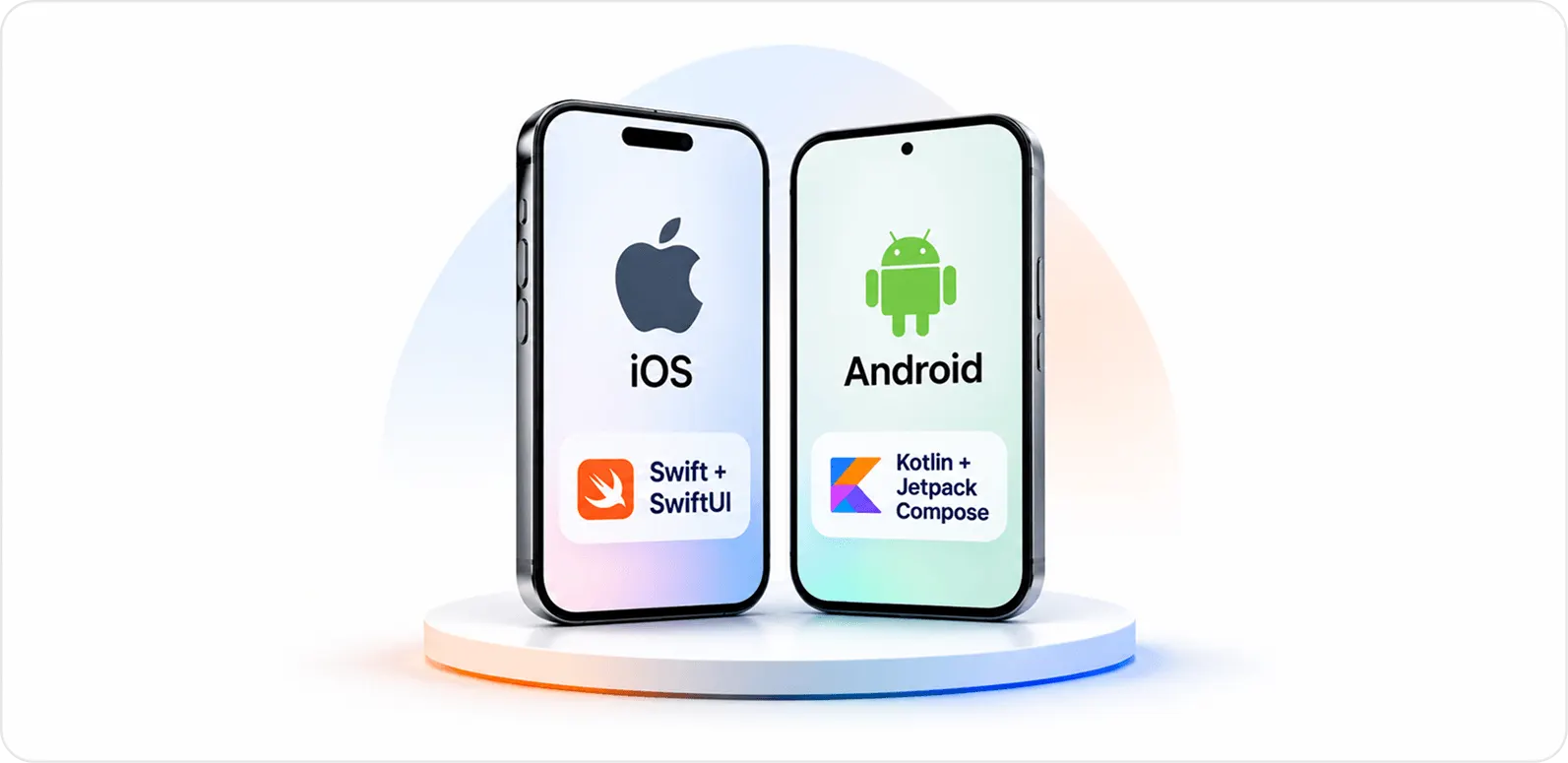
For iOS, developers primarily use Swift with frameworks such as SwiftUI. For Android, they use Kotlin with Jetpack Compose.
Each platform has its own development environment, APIs, and design guidelines. Developers build separate applications to meet the requirements of both operating systems.
For example, consider a business planning to launch an e-commerce application for iPhone and Android users.
The development team would typically:
Use Swift and SwiftUI to build the iOS application.
Use Kotlin and Jetpack Compose to build the Android application.
Implement the same core features separately for both platforms.
Test and maintain each application independently.
Although both applications serve the same business purpose, their codebases remain separate.
Advantages of Native App Development
Native development offers several benefits when an application needs advanced functionality or platform-specific control.
Factor 01
Better Performance
Native applications run directly on their respective platforms. Developers can use platform-specific tools to optimize rendering, animations, memory usage, and processing.
This makes native development suitable for applications with demanding performance requirements.
Factor 02
Better Access to Device Features
Native development provides direct access to operating system APIs and hardware capabilities. Developers can work closely with features such as cameras, Bluetooth, NFC, GPS, biometrics, and background services.
Factor 03
Platform-Specific User Experience
Developers can follow the design guidelines of each operating system without working around cross-platform requirements. This helps create familiar interactions for iOS and Android users.
Factor 04
Early Access to New Features
Native developers can work with new platform APIs as soon as Apple or Google makes them available. They do not need to wait for a cross-platform framework or third-party library to support those features.
Limitations of Native App Development
Despite its benefits, native development comes with some challenges, especially when targeting multiple platforms.
01
Higher development costs: Separate development teams or specialized developers may be needed for iOS and Android.
02
Longer development timelines: Teams must implement and test features separately for each platform.
03
Duplicated development work: Similar business logic and functionality may need separate implementations.
04
Maintenance effort: Updates, bug fixes, and new features require coordination across both codebases.
Native development provides more control, but businesses must account for the additional resources needed to maintain multiple applications.
What is React Native and How Does It Work?
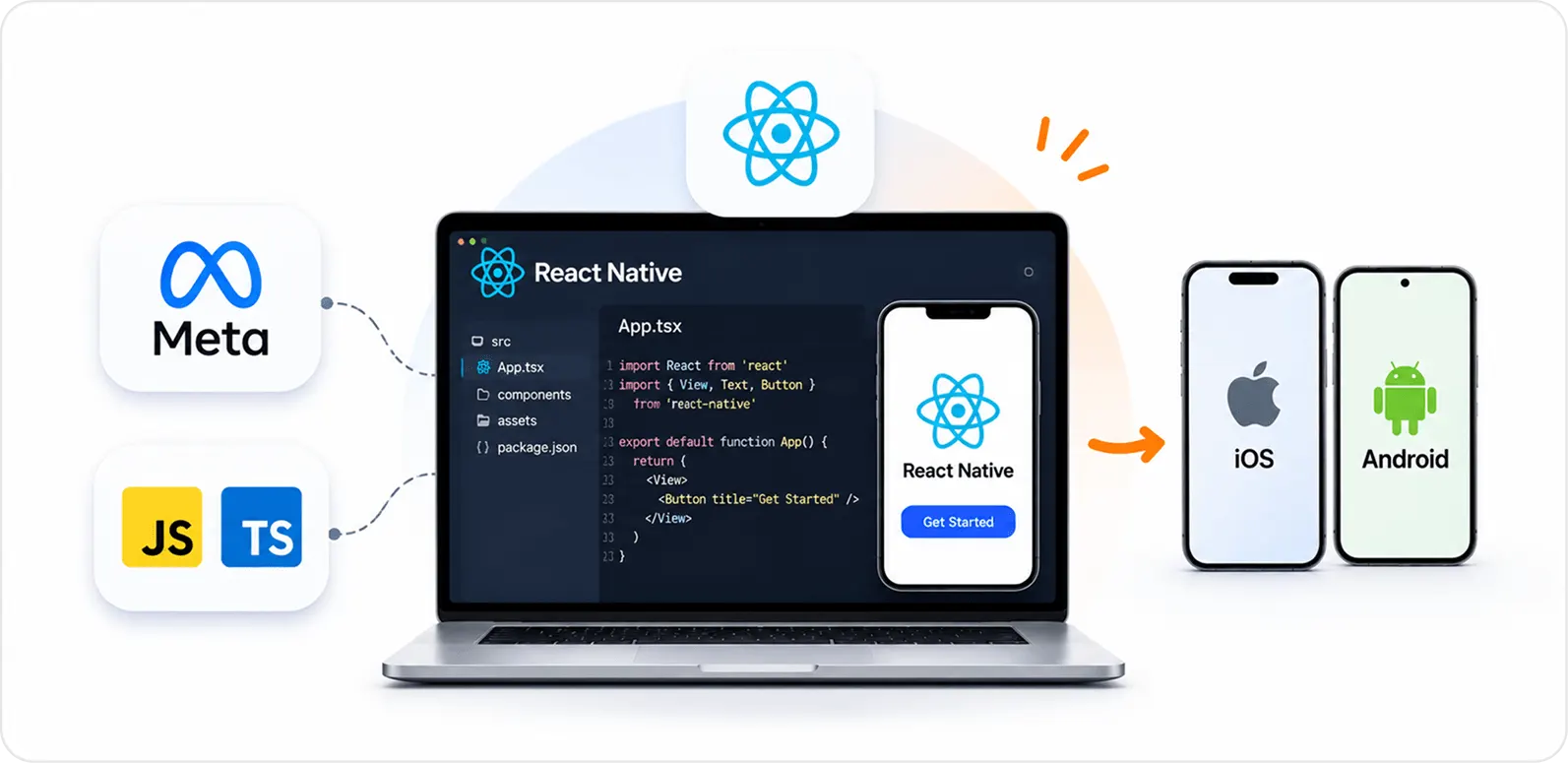
React Native is an open-source framework, created by Meta, for building iOS and Android apps with React and JavaScript or TypeScript. It renders real native UI components rather than a web view.
It allows developers to create applications for iOS and Android using a shared codebase. Instead of building two applications from scratch, teams can reuse much of their application logic and interface code.
Unlike traditional web-based hybrid applications, React Native does not simply display a website inside a mobile application. It uses native UI components to render the application interface.
For example, a developer can create a button using React Native components. React Native renders the corresponding platform-specific native UI component on iOS or Android.
How Does React Native Work?
React Native uses JavaScript or TypeScript to manage application logic, data, and user interactions, and connects that logic to native platform components. The JavaScript runs on Hermes, the engine React Native uses by default.
Developers write most of the application code once. React Native uses that code to create applications for both operating systems.
React Native’s New Architecture has also improved how JavaScript communicates with native code.
Three important components support this architecture:
JavaScript Interface (JSI): Allows more direct communication between JavaScript and native code.
Fabric: Handles UI rendering and helps support more responsive interface updates.
TurboModules: Improves how native modules are loaded and accessed by the application.
These improvements have reduced some of the performance limitations associated with React Native’s older architecture.
The New Architecture became the default in React Native 0.76. Since React Native 0.82 (October 2025), it is the only architecture, so the old bridge-based setup is no longer an option.
Advantages of React Native
React Native offers several benefits for businesses looking to develop applications for multiple platforms.
Factor 01
Shared Codebase
Developers can reuse a significant portion of the code across iOS and Android. This reduces duplicated work and makes it easier to implement common features.
Factor 02
Faster Development
Teams can build and update features for both platforms without maintaining two completely separate implementations. This helps reduce development time and supports faster releases.
Factor 03
Lower Development Costs
A shared codebase can reduce the number of development resources required for cross-platform projects. Businesses can avoid duplicating much of the work involved in building two applications.
Factor 04
Easier Maintenance
Developers can manage common functionality from one codebase. Bug fixes and feature updates can also be applied across platforms with less duplicated effort.
Factor 05
Access to Native Features
React Native supports device features through built-in APIs, third-party libraries, and custom native modules. Developers can also write platform-specific code when a feature requires it.
Limitations of React Native
React Native simplifies cross-platform development, but it does not remove every challenge associated with mobile application development.
01
Performance limitations: Applications involving complex graphics, heavy animations, or intensive processing may need native optimization.
02
Third-party dependencies: Some device features require external libraries. Their compatibility and maintenance need regular attention.
03
Platform-specific adjustments: Certain features may behave differently on iOS and Android, requiring separate implementations.
04
Native development knowledge: Developers may still need Swift, Kotlin, or other native skills for advanced integrations and troubleshooting.
React Native works well for many applications, but businesses should evaluate these limitations before selecting it.
Native vs React Native: Side-by-Side Comparison
Both approaches can support modern mobile applications. However, their differences become more noticeable when you consider performance, development costs, maintenance, and the technical needs of your product.
Let's compare them across nine important factors.
Performance
Performance is one of the most discussed factors when comparing React Native and native app development.
Native applications have an advantage because they run directly on their respective platforms. Developers can optimize application behavior using platform-specific tools and APIs.
React Native also delivers strong performance for most standard applications. Its New Architecture has improved communication between JavaScript and native components, reducing some limitations of the older architecture.
However, performance differences can become noticeable in applications involving:


Complex 3D graphics and gaming.
Advanced animations and gestures.
Real-time audio and video processing.
Heavy background processing.
Large amounts of local data processing.
For example, an eCommerce application with product listings, shopping carts, payments, and user accounts can work well with React Native.
However, a mobile game with complex graphics and real-time interactions may benefit more from native development or a dedicated game engine.
Verdict: Native development offers greater performance control. React Native provides sufficient performance for most business applications.
User Experience
User experience depends on how easily people can navigate an application and interact with its features.
Native applications allow developers to follow the design guidelines and interaction patterns of each operating system. This makes it easier to create platform-specific navigation, animations, gestures, and interface elements.
React Native uses native UI components, so its applications can also deliver familiar mobile experiences.
However, developers may need additional platform-specific adjustments to match certain design patterns or interactions.
For example, iOS and Android applications can have different navigation behaviors, gestures, and interface conventions. A React Native application may need separate code for these differences.
The important point is that a good user experience does not depend only on the development framework. Interface design, usability testing, accessibility, and implementation quality also matter.
Verdict: Native development offers more direct control over platform-specific experiences. React Native can deliver a similar experience when developers account for platform differences.
Development Cost
Development cost is often a deciding factor for businesses planning to launch applications on both platforms.
React Native can reduce costs because developers can reuse code across iOS and Android. Businesses also avoid duplicating much of the development and testing work.
Native development generally requires more resources because each platform needs its own implementation.
However, the actual cost depends on application complexity, features, integrations, design requirements, and the development team's experience. To avoid unnecessary development effort, you should work with developers who understand React Native and its platform-specific requirements. You can Hire Dedicated React Native Developers to build reliable solutions.
Consider a business building an application with user registration, product listings, payments, notifications, and an admin dashboard. With React Native, developers can share much of the mobile application code. With native development, they need to implement the iOS and Android applications separately. The difference becomes more noticeable as the number of shared features increases.
However, React Native savings can decrease when an application requires extensive native modules, custom integrations, or platform-specific functionality.
Verdict: React Native is generally more cost-effective for applications targeting both platforms. Native development may be more practical for single-platform projects or applications with specialized requirements.
Development Speed
Development speed affects how quickly businesses can launch products, introduce features, and respond to user feedback.
React Native supports faster cross-platform development because developers can build much of the application using a shared codebase.
For example, when developers update a common checkout flow, they can implement most of the changes once and use them across both platforms.
Native development requires separate implementations for iOS and Android. Teams must also coordinate testing and releases to maintain feature consistency.
However, native development can be faster when building for only one platform. It also avoids some additional work when an application depends heavily on platform-specific features.
Verdict: React Native generally offers faster development for cross-platform applications. Native development can be more efficient for single-platform projects.
Code Reusability
Code reusability is one of the biggest differences between React Native and native development.
React Native allows developers to share application logic, components, and business functionality across iOS and Android.
For example, an application with login, user profiles, product catalogs, and payment flows can reuse much of its code across both platforms.
However, not everything can be shared. Developers may still need platform-specific code for permissions, device integrations, navigation, and certain UI elements.
Native development follows a different approach. iOS and Android applications use separate codebases, so developers generally implement the same functionality independently.
Some business rules, backend services, and API contracts can still be shared, but the mobile application code is largely platform-specific.
Verdict: React Native offers greater code reusability and reduces duplicated development work. Native development requires more platform-specific implementation.
Security
Security is important for every mobile application, especially those handling personal information, financial transactions, or business data.
Native development provides direct access to platform security features. Developers can use tools such as Apple's Keychain and Android Keystore to protect sensitive information.
React Native applications can also use these security features through suitable libraries and native modules.
However, neither approach automatically makes an application secure. Security depends on how developers handle authentication, authorization, encryption, API communication, data storage, and third-party dependencies.
For example, an application handling payments should keep sensitive transaction logic on secure backend systems rather than relying on client-side code.
Similarly, developers must review external libraries, protect authentication tokens, and follow secure coding practices.
Verdict: Both approaches can support secure applications. Native development offers more direct access to platform security tools, but implementation quality matters more than the framework itself.
Scalability
Scalability determines how well an application can handle growing users, additional features, and changing business requirements.
React Native can support large applications when developers follow a well-planned architecture. Teams can organize code into reusable components, separate business logic, and integrate backend services as the product grows.
It also makes cross-platform feature development easier because common functionality can be managed through one codebase.
However, large React Native projects need careful dependency management and regular framework updates. Poorly maintained libraries can create problems as the application grows.
Native development provides more control over platform-specific architecture and performance optimization. This can be valuable for applications with complex processing requirements or deep operating system integrations.
However, businesses must manage two development tracks when supporting both platforms.
Verdict: Both approaches can scale successfully. React Native offers efficient cross-platform development, while native development provides greater platform-level control.
Maintenance
Mobile applications need regular updates to fix bugs, improve performance, support new operating system versions, and introduce features.
React Native simplifies maintenance by allowing developers to manage common application functionality through a shared codebase. For example, a change to the login process can usually be implemented once and applied across both platforms.
However, developers still need to test both versions. Platform-specific code, native dependencies, and operating system changes can also require separate updates.
Native applications require developers to maintain separate codebases. A feature update or bug fix may need separate implementation and testing for iOS and Android.
This increases coordination effort, especially when both applications need to stay aligned.
Verdict: React Native generally reduces maintenance effort for cross-platform applications. Native development requires more coordination but offers direct control over each platform.
Device and Hardware Integration
Modern mobile applications use several device features, including cameras, GPS, Bluetooth, NFC, biometrics, and push notifications.
Native development provides direct access to these features through platform APIs. Developers can implement advanced integrations without depending on third-party React Native libraries.
React Native also supports most commonly used device features through built-in APIs, community libraries, and native modules.
For example, developers can integrate location services, camera access, biometric authentication, and Bluetooth functionality into React Native applications.
However, specialized hardware or proprietary SDKs may require custom native code.
This becomes important for applications that connect to medical equipment, industrial devices, specialized sensors, or hardware with complex communication requirements.
Verdict: Native development offers more direct hardware access. React Native handles common device integrations well but may require additional native development for specialized features.
React Native vs Native Development: Key Differences
The comparison becomes easier when you look at what each approach offers and where it creates additional work.
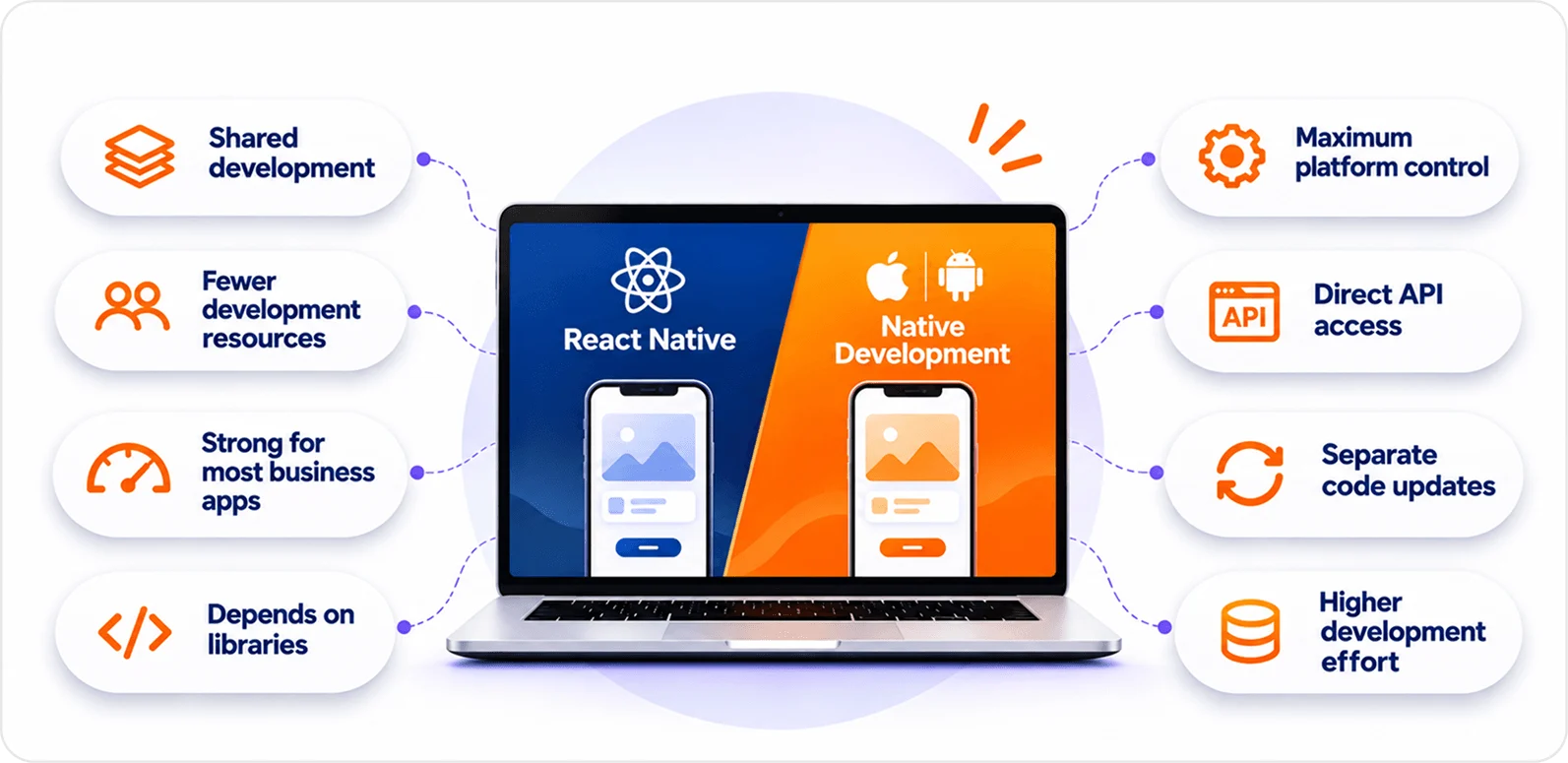
| Factor | React Native | Native Development |
|---|---|---|
| Main advantage | Shared development across platforms | Maximum platform control |
| Development resources | Fewer duplicated resources | Separate platform expertise |
| Performance | Strong for most business apps | Better suited to demanding workloads |
| Platform features | Depends on libraries and native modules | Direct API access |
| Code maintenance | Common code updates | Separate code updates |
| Flexibility | Supports platform-specific code when needed | Full platform-specific control |
| Main limitation | Framework and library dependencies | Higher cross-platform development effort |
Neither approach is better in every situation. The right decision depends on your app's features and the resources you have to build and maintain it.
React Native vs Native Development: Which Is Best for Your App?
The best choice often depends on the type of app you are building. This table maps common app types to the approach that usually fits best.
| App type | Recommended approach | Why |
|---|---|---|
| eCommerce, booking, or marketplace app | React Native | Standard features and two platforms to cover |
| Fintech or SaaS dashboard | React Native (with native modules for features like biometrics) | Shared logic with a secure backend |
| 3D game or AR app | Native or a game engine | Demanding graphics and real-time processing |
| App tied to medical or industrial hardware | Native | Proprietary SDKs and specialized device communication |
| MVP for investors or early users | React Native | Faster launch and lower initial cost |
| Single-platform enterprise app | Native | One platform, so there is no code-sharing benefit |
These are general guidelines, not fixed rules. Your team’s skills, budget, and feature list can change the right answer, so review them before you decide.
When to Choose React Native vs Native App Development
Now that we have covered the differences, let's look at when each approach makes more sense.
Choose React Native If:
React Native is a good choice when your business wants to build and maintain applications for multiple platforms without duplicating most of the development work.
Consider React Native if:
Factor 01
You Want to Target iOS and Android Together
If your application needs to reach users on both platforms, React Native allows developers to share much of the implementation.
Factor 02
You Have a Limited Development Budget
A shared codebase can reduce development effort and the resources needed to build two applications.
Factor 03
You Want to Launch Faster
React Native can help startups and growing businesses launch on multiple platforms without maintaining completely separate development tracks.
Factor 04
Your Application Has Standard Business Features
Applications involving user accounts, dashboards, product catalogs, payments, booking systems, and content management are generally suitable for React Native.
Factor 05
You Want to Reuse Existing React Knowledge
Businesses with existing React or JavaScript teams can build on their current knowledge. However, production mobile development still requires React Native expertise.
Factor 06
You Expect Regular Feature Updates
A shared codebase makes it easier to manage common features and introduce updates across platforms.
Choose Native App Development If:
Native development makes more sense when your application requires advanced platform capabilities or performance that cross-platform development may not deliver as efficiently.
Consider native development if:
Factor 01
Your Application Has High Performance Requirements
Applications involving advanced graphics, complex animations, real-time processing, or intensive local computation may benefit from native optimization.
Factor 02
You Need Deep Hardware Integration
If your application depends on specialized sensors, proprietary hardware SDKs, advanced camera functionality, or complex Bluetooth integrations, native development offers more direct control.
Factor 03
You Need Platform-Specific Features
Applications that rely heavily on the latest iOS or Android capabilities may benefit from direct access to platform APIs.
Factor 04
User Experience Depends on Platform-Specific Interactions
If your product requires highly customized interactions, animations, and platform-specific behavior, native development offers greater flexibility.
Factor 05
You Are Building for One Platform
If your target audience primarily uses iOS or Android, native development can be a practical choice without the additional cost of maintaining two applications.
Factor 06
You Have the Required Development Resources
If your business already has experienced iOS and Android developers, native development may fit your existing team structure.
Can You Mix React Native with Native Code?
Yes. Businesses do not always have to choose between a completely React Native application and two fully native applications.
You can write specific features in Swift or Kotlin as native modules and connect them to a React Native app. You can also add React Native screens to an existing native app, often called a brownfield approach.
For example, a business can build its login, dashboard, product listings, and other common features using React Native.
However, if the application needs advanced camera processing or integration with a specialized hardware SDK, developers can implement those features using Swift or Kotlin.
The native modules then connect with the React Native codebase.
This approach offers several benefits:
Reuses common application code across iOS and Android.
Supports advanced device integrations through native code.
Allows developers to optimize performance-critical features.
Reduces the need to build the entire application separately.
This approach is useful when most of the application has standard requirements, but a few features need deeper platform access.
It also gives businesses more flexibility when their product requirements change over time.
Exploring Other Approaches to Mobile App Development
React Native and native development are not the only options available. Depending on your application requirements, other development approaches may also be worth considering.
Flutter App Development
Flutter is an open-source UI framework developed by Google. It allows developers to build applications for multiple platforms using Dart and a shared codebase.
Unlike React Native, Flutter uses its own rendering engine rather than relying primarily on native UI components.
It offers greater control over the visual appearance of application interfaces and supports consistent designs across platforms.
Flutter can be a good option for businesses that want cross-platform development with highly customized interfaces.
Hybrid App Development
Hybrid applications combine web technologies such as HTML, CSS, and JavaScript with a native application container.
Developers typically build the interface using web technologies and use a WebView to display it inside the mobile application.
This approach allows businesses to reuse web development skills and share more of their code across platforms.
However, hybrid applications may have limitations when handling complex animations, advanced hardware integrations, and performance-intensive features.
Progressive Web Apps (PWAs)
Progressive Web Apps are web applications that offer some features commonly associated with mobile applications.
Users can access them through a web browser and, on supported platforms, install them on their devices.
PWAs can support features such as offline access, push notifications, and home screen installation, depending on browser and operating system support.
They can be useful for businesses that want to reach users without developing and maintaining separate mobile applications.
However, PWAs do not provide the same level of platform integration and device access as native mobile applications.
Kotlin Multiplatform and Compose Multiplatform
Kotlin Multiplatform (KMP) is a technology from JetBrains that lets teams share business logic written in Kotlin between Android and iOS, while building the user interface natively with Jetpack Compose and SwiftUI. Compose Multiplatform extends this by letting teams share UI code as well.
Unlike React Native, which uses JavaScript or TypeScript, KMP is built around Kotlin. That makes it a good fit for teams with existing Android and Kotlin expertise who want to share logic across platforms while staying close to native tooling. Teams with a React or JavaScript background will usually find React Native easier to adopt.


Final
Thoughts
A practical approach is to identify your core features first. Some applications work well with a shared codebase, while others need deeper access to device capabilities. This helps avoid investing in a development approach that creates limitations later.
At NebulaTech, we follow a consulting-first approach. We assess your product requirements, technical challenges, and long-term goals before recommending a development approach.
Choosing between React Native and native development is more than comparing costs or development speed. Consider how your application will perform as features grow, how often you plan to release updates, and what your users expect from each platform.
Our React Native App Development Services focus on building applications around actual business needs, not technology trends.
FAQs on React Native vs Native App Development
React Native is better for cross-platform applications that need faster development and lower costs. Native development is better for apps requiring advanced performance, hardware integration, or platform-specific features.