React Native Vs Flutter: Which is Better for Your Business?
Choosing between React Native vs Flutter? Compare their strengths, limitations, costs, and performance to find the right fit for your business.

Bharat Purohit
Mobile App & Technology Consultant
In this Article
In this Article
Let's Build the Right Solution, Not Just Software.

Summarize with AI
Short on time? Get the key points instantly with AI.
 ChatGPT
 Perplexity
If you have a mobile application idea, target audience, and clear business goals, one critical question will shape your project's success: which technology should you choose? When comparing React Native vs Flutter in 2026, this decision impacts your development budget, time to market, and long-term scalability.
Neither Flutter nor React Native is a clear winner for every business. Flutter can be a strong choice for businesses that need a highly customized interface, consistent design across platforms, or plans to expand beyond mobile. React Native may be better suited to mobile-first products, businesses with React or JavaScript expertise, and apps that rely on native device features.
Both frameworks power apps used by well-known companies, including BMW, Instagram, and Walmart. But real-world adoption alone does not tell you which option is right for your business. This Flutter vs React Native comparison looks at performance, development costs, platform support, scalability, and other factors that can shape your technology decision.
Overview of React Native
React Native is an open-source, cross-platform app development framework created by Meta. It uses JavaScript and TypeScript and allows teams to build applications for iOS and Android from a shared codebase. Developers can reuse 70-90% of code between iOS and Android, significantly reducing development time and costs.
React Native's key advantage is its use of native iOS and Android UI components, which gives apps a platform-specific look and feel. This ensures iOS apps feel like iOS apps and Android apps feel like Android apps, automatically following each platform's design conventions. With 13.8M JavaScript developers worldwide and access to the NPM ecosystem (2M+ packages), React Native offers unmatched developer availability and third-party library support.
Pros of React Native
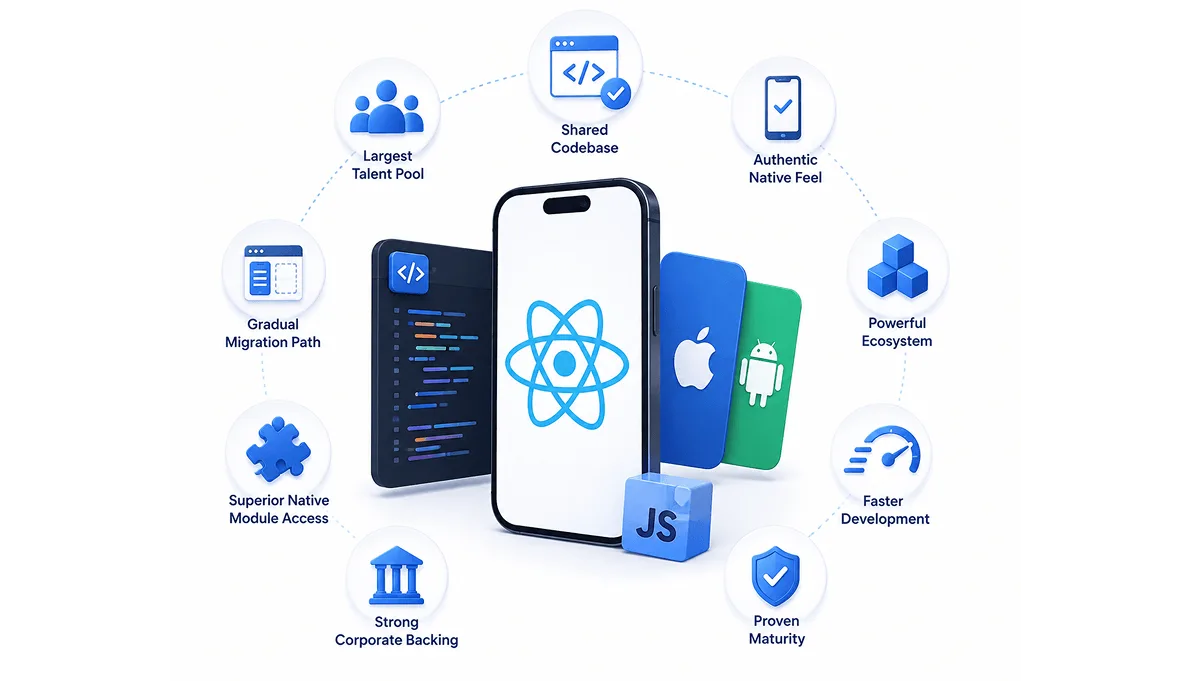
Shared Codebase: Reuse 75-92% of code across iOS and Android with React Native's modern architecture, including Fabric and TurboModules.
Largest Talent Pool: Access millions of React Native and JavaScript developers worldwide, making it easier to hire skilled talent and scale your team.
Authentic Native Feel: Build apps that deliver a native-like experience while following iOS and Android platform standards.
Powerful Ecosystem: Leverage the React ecosystem, millions of NPM packages, and a large global developer community.
Faster Development: Fast Refresh, reusable components, and shared code can significantly reduce development time compared with building separate native apps.
Proven Maturity: With more than a decade of development and production use, React Native has been battle-tested across major consumer and enterprise applications.
Strong Corporate Backing: Backed by Meta and supported by a large open-source community, React Native continues to evolve with modern mobile development needs.
Superior Native Module Access: JSI, TurboModules, and native APIs enable high-performance communication between JavaScript and platform-native code.
Gradual Migration Path: Integrate React Native into existing iOS or Android applications screen-by-screen, making brownfield migration more flexible and lower risk.
Cons of React Native
Third-Party Dependency Risk: Many features rely on community-maintained packages, which can create maintenance and compatibility risks when libraries become outdated or unsupported.
Performance Ceiling: React Native delivers strong performance for most applications, but graphics-intensive apps and experiences requiring consistent 120+ FPS may still benefit from fully native development or specialized frameworks.
Platform-Specific Code: Around 10-25% of code may still require separate iOS and Android implementations, particularly for platform-specific features and native integrations.
UI Consistency Requires Work: Creating an identical visual experience across iOS and Android can require additional customization because each platform follows different UI behaviors and design patterns.
Migration Overhead: Existing apps using the old architecture may require migration to Fabric and TurboModules, with the effort depending on the app's size, dependencies, and level of native customization.
Larger Bundle Sizes for Complex Apps: JavaScript bundles can grow significantly in complex applications, making optimization techniques such as code splitting, lazy loading, and asset optimization important.
Version Fragmentation: Major React Native releases can introduce breaking changes, while dependency compatibility issues may cause enterprise teams to delay upgrades.
Popular Apps Built With React Native
React Native is used by several major companies across social media, e-commerce, automotive, and other industries:

Facebook (10B+ users)
Meta's flagship app uses React Native for the Events dashboard and other features.

Instagram (3B+ users)
Uses React Native for major features like push notifications, post creation, and navigation.

Walmart (130M+ downloads)
The entire Walmart shopping app is built with React Native.

Discord (230M+ monthly users)
Messaging, voice, and video features use React Native.

Tesla
The Tesla mobile app for vehicle control and monitoring is built with React Native.

Planning a React Native App? Let's Turn Your Idea Into Reality.
Not sure whether React Native is the right choice for your business? Our experts can evaluate your requirements, features, budget, and target platforms to recommend the right development approach.
Overview of Flutter
Flutter is an open-source, cross-platform framework for application development created by Google. It enables teams to build applications for iOS, Android, web, and desktop from a single codebase, reducing development time by up to 50-70% compared to building native apps separately. It is one of the main reasons for businesses to choose Flutter for their multi-platform product.
Flutter uses the Dart programming language and includes 200+ pre-designed Material and Cupertino widgets for building application interfaces. The hot reload feature allows developers to see code changes in under one second, significantly accelerating the development cycle.
Pros of Flutter
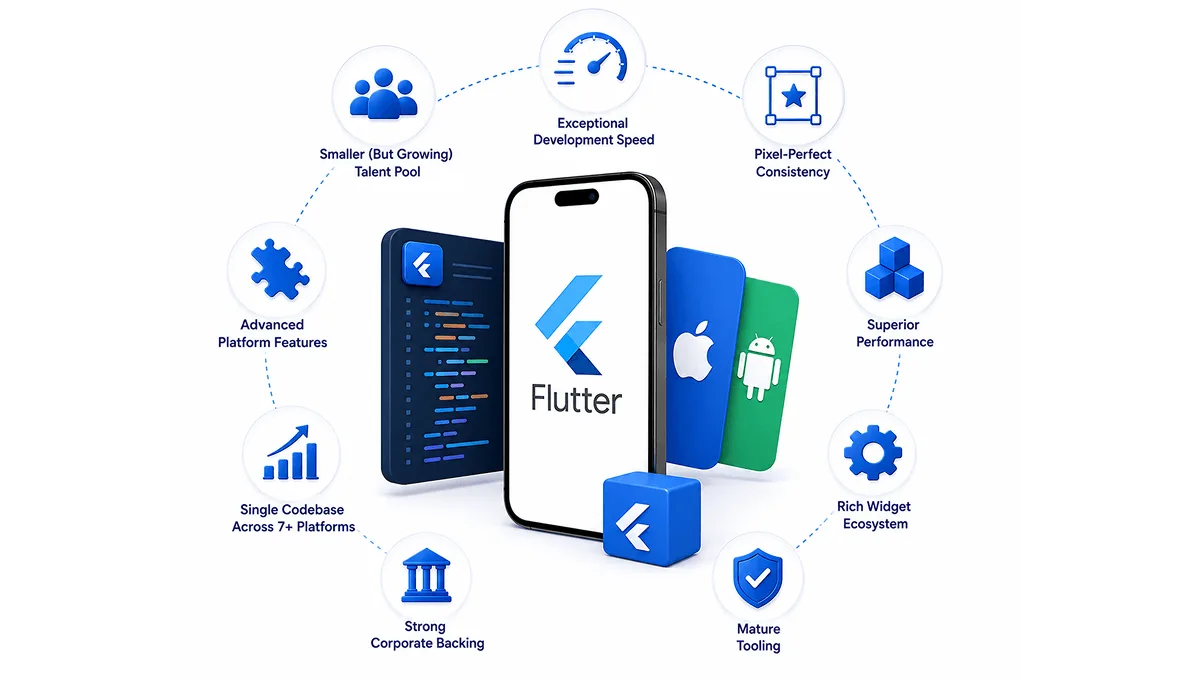
Single Codebase Across 7+ Platforms: Share 85-95% of code across iOS, Android, web, Windows, macOS, Linux, and embedded platforms.
Exceptional Development Speed: Hot Reload enables rapid UI updates, while Hot Restart speeds up iteration and can preserve development state, helping teams build faster than traditional native approaches.
Pixel-Perfect Consistency: Flutter provides complete control over UI rendering, allowing teams to maintain a consistent visual experience across mobile, desktop, and web.
Superior Performance: Flutter delivers smooth 60-120 FPS performance on standard devices and supports high-refresh-rate experiences, while the Impeller rendering engine helps reduce shader compilation jank.
Strong Corporate Backing: Backed by Google, Flutter continues to receive significant investment and is used across Google's ecosystem and products.
Rich Widget Ecosystem: Flutter offers a large collection of Material and Cupertino widgets, along with thousands of community packages available through pub.dev.
Mature Tooling: Flutter provides powerful DevTools, testing frameworks, debugging capabilities, and CI/CD integrations to support modern development workflows.
Cons of Flutter
Smaller (But Growing) Talent Pool: Flutter has a smaller developer pool than React Native, which can make hiring and scaling teams slightly more challenging, although the gap continues to narrow.
Larger Initial App Size: Basic Flutter applications can have a larger initial binary size compared with React Native, although tree-shaking and build optimizations can reduce the impact.
Advanced Platform Features: New iOS and Android capabilities may require platform-specific code until official Flutter plugins or stable community packages become available.
Non-Native UI Behavior: Flutter uses its own rendering engine and widgets rather than native platform UI components, so certain interactions may feel slightly different from fully native applications.
Dart-Specific Learning Curve: Teams without prior Dart experience may need additional time to learn the language and Flutter development patterns before reaching full productivity.
Build Time for Large Apps: Large Flutter projects can experience longer clean-build times, although incremental builds and Hot Reload make day-to-day development significantly faster.
Popular Apps Built With Flutter
Flutter has moved beyond small or experimental projects and is used by several well-known companies, including:

Nubank (135M+ users)
Brazil's largest digital bank uses Flutter for its entire mobile app, handling financial transactions and account management.

BMW
The My BMW app uses Flutter for vehicle management, service booking, and connected car features.

Alibaba
Xianyu, Alibaba's second-hand marketplace app with 50M+ users, uses Flutter.

Google Pay
Google uses Flutter for portions of its mobile payment experience.

Toyota
Flutter powers sections of Toyota's in-car infotainment systems.

eBay Motors
eBay's automotive marketplace app is built with Flutter.
React Native Vs Flutter: A Quick Comparison
| Factor | Flutter | React Native |
|---|---|---|
| Primary Language | Dart | JavaScript/TypeScript |
| Release Year | 2017 (Stable: 2018) | 2015 |
| Backed By | Meta (Facebook) | |
| GitHub Stars | 1,78,400+ stars | 1,26,242 stars |
| Learning Curve | 3-4 weeks (new to Dart) | 1-2 weeks (if you know JS) |
| Code Reusability | 80-95% across platforms | 70-90% across platforms |
| UI Approach | Custom widgets (Skia rendering) | Native platform components |
| Performance (FPS) | 60-120 FPS | 50-90 FPS |
| App Size (Basic App) | ~15MB+ | ~10MB+ |
| Hot Reload | <1 second | 1-2 seconds |
| Platform Support | iOS, Android, Web, Windows, macOS, Linux | iOS, Android (Web/Windows via community) |
| Testing Framework | Built-in (flutter_test, integration_test) | Third-party (Jest, Detox, Testing Library) |
| Package Ecosystem | ~50,000 to 67,500 | 2.1+ Million |
| Average Salary (US) | $135,000 – $180,000 | $125,000 – $160,000 |
There is no universal winner between Flutter and React Native. Flutter can be more appealing when visual consistency, customization, and performance are priorities, while React Native can be useful when developer availability, JavaScript expertise, and native platform integration matter more. Now, let's explore this in detail and examine the differences between Flutter and React Native.
React Native Vs Flutter: Key Differences
Both Flutter and React Native can help you build cross-platform apps, but they take different approaches to development and user experience. The better choice depends on what matters most for your project.
Performance Overview
Both frameworks can deliver high-performing applications for a range of businesses. Flutter compiles application code to native machine code, while React Native has significantly improved performance due to its new architecture.
Flutter Performance:
Uses Dart compiled to native machine code for release builds.
Impeller provides a modern rendering pipeline designed to reduce rendering jank and improve predictability.
Flutter targets 60 FPS and supports 120 FPS on capable devices when the app maintains frame budgets.
Strong fit for custom UI, animations, graphics-heavy interfaces, and highly consistent cross-platform rendering.
Performance depends heavily on implementation, device hardware, rendering complexity, and optimization.
React Native Performance:
The New Architecture uses Fabric, JSI, and the new native module system to reduce overhead between JavaScript and native code.
Recent React Native releases (0.86, 0.87), including React Native 0.84 and later, have continued improving the New Architecture, Hermes performance, tooling, and platform support.
The New Architecture has been production-ready since React Native 0.76 and is now the foundation of current React Native releases.
Strong fit for business apps, e-commerce, social platforms, content-driven applications, and apps requiring extensive native integrations.
Winner:
Flutter has an edge for graphics-heavy and highly customized UI workloads, while React Native is highly competitive for mainstream applications. There is no universal 10-15% performance advantage that applies to every app. Actual performance should be measured against the specific workload, device targets, and implementation.
Development Speed
Both frameworks support faster development through reusable code and hot reload. Flutter also offers a great widget library, while React Native takes advantage of the popularity of JavaScript and React.
Flutter Development Speed:
Faster UI Iteration: Hot Reload provides rapid feedback, making UI development and experimentation highly efficient.
Rich Built-In Widgets: Material and Cupertino widgets reduce the amount of custom UI code required for common interface patterns.
Multi-Platform Development: A single Flutter codebase can target mobile, web, desktop, and other supported platforms.
High Code Reusability: Teams can share a large portion of application code across platforms, reducing duplicated development work.
Stateful Hot Reload: Developers can quickly see code changes while preserving the current application state during development.
Powerful DevTools: Flutter DevTools provides widget inspection, performance profiling, memory analysis, network debugging, and other development utilities.
React Native Development Speed:
Faster Onboarding for React Teams: Developers already familiar with JavaScript and React can typically start building with React Native quickly.
React Ecosystem Reuse: Existing React knowledge, patterns, libraries, and some web components can often be leveraged when building mobile applications.
Large Package Ecosystem: The broader JavaScript and NPM ecosystem provides a huge number of libraries and pre-built solutions.
Simpler JavaScript Hiring: JavaScript developers are widely available, making it easier for companies to build or expand React Native teams.
Fast Refresh: Fast Refresh provides quick feedback during development while preserving component state where possible.
Familiar Development Tools: React Native teams can continue using popular JavaScript development tools, editors, debugging workflows, and testing solutions.
Best Fit: Flutter has an advantage for teams prioritizing custom UI development and multi-platform consistency, while React Native is often faster for teams that already have strong React and JavaScript expertise.
User Interface and Design
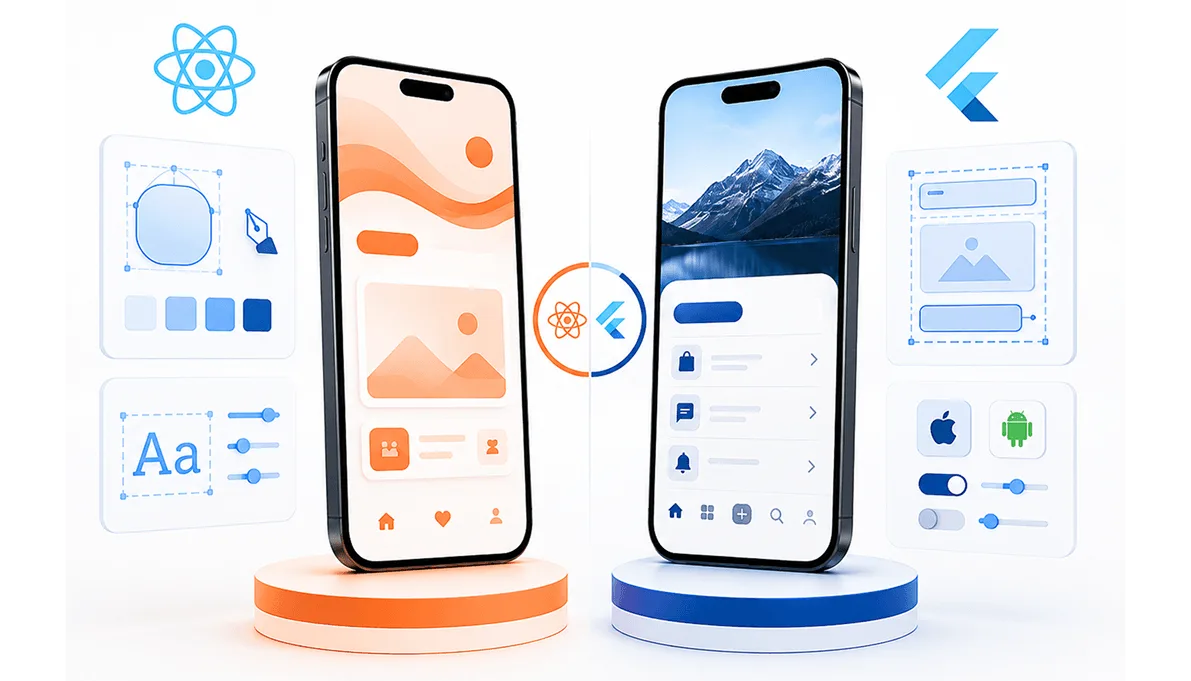
The two frameworks take noticeably different approaches to app design. Flutter uses its own customizable widgets, while React Native uses native platform components from iOS and Android.
Flutter User Interface and Design:
Custom Rendering Engine: Flutter draws every pixel itself using the Skia/Impeller rendering engine rather than relying on native OS components, giving teams full control over how the UI looks and behaves.
Pixel-Perfect Consistency: The same widget tree renders identically across iOS, Android, web, and desktop, making it easier to maintain consistent branding across platforms.
Rich Widget Library: Material and Cupertino widgets can be combined or customized to match a specific design system without fighting platform defaults.
Fine-Grained Animation Control: Direct control over rendering makes Flutter well-suited to custom transitions, micro-interactions, and branded UI details.
Built-In Theming: Centralized theming tools make it straightforward to apply consistent colors, typography, and spacing across the entire app.
Closer Design-to-Code Fidelity: Designs from tools like Figma can often be translated closely into Flutter widgets without platform-specific compromises.
React Native User Interface and Design:
Native Components: React Native renders using actual native iOS and Android UI elements, so buttons, navigation, and inputs behave the way users expect on each platform.
Platform-Specific Conventions: Apps automatically pick up native behaviors, such as iOS scroll physics or Android's Material ripple effects.
Familiar UX Patterns: Because components map to native equivalents, the app's behavior often feels natively "correct" without extra tuning.
Flexbox-Based Styling: A CSS-like, Flexbox-based styling system is familiar to web developers and speeds up building common layouts.
Established Component Libraries: Libraries such as React Native Paper and NativeBase offer pre-built components for common design patterns.
More Work for Cross-Platform Consistency: Because components render natively, achieving an identical look on both iOS and Android can require additional platform-specific styling.
Best Fit: Flutter for consistent, highly branded UI across platforms; React Native for an experience that closely follows native iOS and Android conventions.
Platform Support
Flutter supports mobile, web, and desktop platforms from the same framework. React Native is primarily focused on iOS and Android, with additional options for web and desktop.
Flutter Platform Support:
iOS and Android: Full, production-ready support for both major mobile platforms.
Web: Flutter can compile to a web app, though rendering-heavy pages may need extra tuning for performance and SEO.
Desktop: Officially supports Windows, macOS, and Linux, making it possible to ship a desktop app from the same codebase.
Embedded and Automotive: Increasingly used in embedded devices and in-car infotainment systems, such as Toyota's implementation.
Simpler Platform Expansion: Because Flutter doesn't rely on native platform UI, adding a new target is largely a matter of a new embedder rather than rewriting UI code.
Continued Investment: Google continues to expand stability and tooling across newer platform targets.
React Native Platform Support:
iOS and Android: The primary, most mature targets, with the largest share of production usage.
Web via Community: React Native for Web enables code sharing with web apps, though it's community-maintained rather than an official first-party target.
Desktop via Community: Projects such as react-native-windows and react-native-macos extend React Native to desktop, backed by Microsoft, but require additional setup.
Deep Mobile OS Integration: Because it's mobile-first, React Native has mature support for the platform APIs teams rely on most.
Simpler Footprint for Mobile-Only Teams: Teams targeting only iOS and Android may find React Native's more focused platform scope easier to maintain than juggling many targets.
Variable Non-Mobile Quality: Support quality for web and desktop can vary depending on how actively the community packages are maintained.
Best Fit: Flutter for products with a genuine multi-platform roadmap; React Native for mobile-first products that may only consider other platforms later.
Developer Availability
This difference can matter when hiring, expanding a team, or finding a development partner.
Flutter Developer Availability:
Smaller but Growing Pool: Flutter's developer community has grown quickly since 2017 but remains smaller than React Native's.
Dart-Specific Skillset: Because Dart is used almost exclusively for Flutter, most developers learn it specifically for the framework.
Rising Popularity: Flutter regularly ranks among the most-loved cross-platform frameworks in developer surveys, which continues to attract new developers.
Strong Official Learning Resources: Extensive documentation, codelabs, and certification paths from Google help new developers ramp up quickly.
Potentially Higher Rates: A smaller talent pool can translate into somewhat higher average rates in some markets.
More Regional Variation: The availability of experienced Flutter developers can vary more by region than React Native talent.
React Native Developer Availability:
Largest Cross-Platform Talent Pool: With millions of JavaScript developers worldwide, finding React Native talent is generally easier.
Overlap with Web Developers: Many React (web) developers can transition to React Native with a relatively short ramp-up period.
Established Hiring Market: A longer market history means more experienced developers, agencies, and freelancers are available.
Easier Team Scaling: Broader talent availability makes it easier to grow a team quickly or bring on contractors as needed.
More Competitive Hiring Costs: Greater developer supply can translate into more competitive salary ranges in many markets.
Large Community Support: An active global community means faster answers to technical questions and more third-party learning resources.
Best Fit: React Native if hiring speed and talent pool size are a priority; Flutter if the smaller talent pool is an acceptable trade-off for the framework's other advantages.
Ecosystem and Libraries
React Native benefits from the huge JavaScript ecosystem and a large collection of third-party libraries. Flutter has a growing ecosystem with many packages designed specifically for the framework.
Flutter Ecosystem and Libraries:
pub.dev Package Registry: Flutter's official package repository has grown to tens of thousands of packages covering most common app needs.
Official Google-Maintained Packages: Many core packages, such as state management and networking tools, are maintained or endorsed directly by the Flutter team.
Built-In Quality Signals: pub.dev's scoring system helps developers evaluate a package's maintenance, popularity, and platform support before adopting it.
Fewer Total Options: Compared with npm, Flutter's ecosystem has fewer overall packages, which can mean more custom development for niche use cases.
Growing Enterprise Tooling: More enterprise-focused packages for analytics, monitoring, and CI/CD have emerged as adoption increases.
Established State Management Options: Solutions like Provider, Riverpod, and Bloc are widely adopted and well documented within the Flutter community.
React Native Ecosystem and Libraries:
Massive NPM Ecosystem: Access to more than 2 million NPM packages, many of which work directly or with minor adaptation, in React Native.
Mature Third-Party Libraries: Long-established libraries exist for navigation, state management, testing, and native module access.
Web and Mobile Code Sharing: Some React libraries and utilities can be shared between React (web) and React Native (mobile) projects.
Wide Range of Starter Kits: Numerous boilerplates and templates are available for common app types, speeding up initial setup.
Variable Maintenance Quality: Because many packages are community-maintained, documentation and update frequency can vary significantly.
Extensive Native Module Bridges: A large number of pre-built native module wrappers exist for common device features like cameras, payments, and maps.
Best Fit: React Native for the sheer size and breadth of its ecosystem; Flutter for a smaller but more curated, framework-specific set of packages.
Cost and Time to Market
When evaluating app development cost between Flutter vs React Native for business applications, consider both immediate development speed and long-term maintenance costs. The choice of cross-platform framework directly impacts your time to market and overall mobile app development budget.
Flutter Cost and Time to Market:
High Code Reusability: Sharing 80-95% of code across platforms can reduce the engineering hours needed to support multiple targets.
Fewer Platform-Specific Bugs: A single rendering engine means less time spent debugging platform-specific UI inconsistencies.
Faster Multi-Platform Launch: Reaching iOS, Android, web, and desktop from one codebase can shorten the time needed to launch on several platforms at once.
Added Dart Ramp-Up Time: Teams new to Dart may need extra onboarding time, which can add to project costs early on.
Smaller Hiring Pool Cost: A smaller talent pool can mean higher rates or longer timelines in some markets.
Lower Long-Term Maintenance Costs: A single codebase generally means fewer ongoing maintenance hours compared with separate native codebases.
React Native Cost and Time to Market:
Faster Team Ramp-Up: Existing JavaScript or React teams can often start building sooner, reducing onboarding costs.
More Competitive Hiring Costs: A larger developer pool can make it easier to find affordable talent, particularly for straightforward mobile apps.
Reuse of Existing Web Investments: Businesses with an existing React web app may reuse components, logic, and institutional knowledge.
Mature Tooling Shortens Setup: Established CI/CD integrations and testing tools can reduce initial project setup time.
Added Cost for Platform-Specific Work: The 10-25% of code that may need separate iOS and Android implementations can add development time for feature-heavy apps.
Proven Cost Estimation at Scale: A decade of production use means fewer unknowns when estimating timelines for large projects.
Best Fit: Flutter for projects planning a multi-platform launch from day one; React Native for JavaScript-based teams prioritizing a fast, mobile-first launch.
Not Sure Which Framework Fits Your Business?
Get expert guidance on choosing between React Native, Flutter, and native development based on your budget, features, target platforms, and growth plans.
Native Features and Integrations
Apps that depend heavily on cameras, sensors, Bluetooth, payments, or other device features may need deeper native integration.
Flutter Native Features and Integrations:
Official Plugin Support: Flutter provides official plugins for common device features like camera, location, and local storage.
Platform Channels: Custom native code can be written in Swift, Kotlin, Java, or Objective-C and connected to Flutter through platform channels when no plugin exists.
Federated Plugin Architecture: Many plugins support extending functionality to additional platforms without rewriting the core plugin.
Expanding Plugin Coverage: As adoption grows, more official and community plugins now cover payments, biometrics, and AR/VR features.
Lag on Brand-New OS Features: The very newest iOS or Android capabilities can take longer to appear as stable Flutter plugins compared with fully native development.
Efficient Native Bridging: Platform channel calls run efficiently, so integrating native functionality doesn't introduce major performance costs.
React Native Native Features and Integrations:
Extensive Native Module Libraries: A long history of production use has produced mature native modules for cameras, sensors, payments, Bluetooth, and more.
JSI and TurboModules: The New Architecture enables more direct, synchronous communication between JavaScript and native code, reducing bridge-related overhead.
Easier Native Code Integration: Teams with iOS/Android experience can write native modules using familiar languages and existing native SDK documentation.
Broad Third-Party SDK Support: Many popular SDKs for analytics, ads, and payments provide official React Native wrappers.
Faster Access to New OS Capabilities: Because it uses native components directly, React Native can often adopt new platform features slightly sooner.
Brownfield Integration: React Native can be embedded screen-by-screen into an existing native app, useful for gradual feature rollouts.
Best Fit: React Native for apps that depend heavily on deep, cutting-edge native integrations; Flutter for apps with common integration needs that fit within its plugin ecosystem.
Scalability and Long-Term Maintenance
Both frameworks can support large applications when they are properly planned and maintained. The bigger difference is how much platform-specific work the product may need as it grows.
Flutter Scalability and Long-Term Maintenance:
Single Codebase Simplifies Updates: Bug fixes and features generally only need to be implemented once, reducing long-term maintenance overhead.
Strong Static Typing: Dart's sound null safety and static typing help catch errors early, which can reduce bugs in large codebases.
Consistent Architecture Patterns: Popular state management solutions like Provider, Riverpod, and Bloc provide clear patterns for structuring large apps.
Long-Term Roadmap from Google: Continued investment from Google supports confidence in the framework's long-term direction.
Less Platform Architectural Consistency: Because Flutter doesn't rely on native UI, there's less risk of the iOS and Android versions of the app drifting apart over time.
Built-In Testing Framework: Widget, unit, and integration testing tools are built in to support quality as the app grows.
React Native Scalability and Long-Term Maintenance:
Proven at Enterprise Scale: More than a decade of production use across major apps demonstrates React Native can scale to millions of users.
Modular Architecture: React's component model supports breaking large apps into maintainable, reusable pieces.
Active Long-Term Investment: Continued backing from Meta, along with the New Architecture rollout, signals ongoing framework evolution.
Upgrade Planning Required: Major version upgrades can introduce breaking changes, so long-term maintenance plans should budget time for periodic upgrades.
Wide Testing Tool Support: Established tools like Jest and Detox support maintaining large test suites over time.
Flexible Migration Path: Apps can gradually adopt New Architecture features or migrate specific screens without a full rewrite.
Best Fit: Depends on the existing technology setup and platform roadmap. Flutter for teams prioritizing UI consistency at scale, React Native for teams already invested in the JavaScript ecosystem.
Which is Better: Flutter or React Native?
The better option in Flutter vs React Native depends largely on what your app needs to achieve. If you want a highly consistent design across platforms, plan to expand beyond mobile, or need greater control over the app's interface, Flutter has an advantage. If your priority is access to developers, native mobile integration, or building around an existing React or JavaScript setup, React Native is a strong choice.
When to Choose Flutter?
Choose Flutter if your business prioritizes:
Consistent design: You want the same branded experience across iOS and Android.
UI customization: Your app depends heavily on animations, custom screens, or unique interactions.
Multi-platform growth: You may expand to web or desktop alongside mobile.
Performance: The product includes graphics-heavy or highly interactive features
Faster product development: You want to share most code across platforms.

Flutter is worth considering for consumer apps, fintech products, marketplaces, and other products where the interface plays a major role.
When to Choose React Native?
Choose React Native if your business prioritizes:
Developer availability: You want a larger pool of JavaScript and TypeScript developers.
Existing React expertise: Your current web team already works with React.
Native mobile experience: You want the app to closely follow iOS and Android conventions.
Device integrations: Your product depends heavily on mobile-specific features.
Mobile-first development: Your immediate focus is iOS and Android rather than multiple platforms.
| Your priority | Recommended |
|---|---|
| Highly customized UI | Flutter |
| Existing React/JavaScript team | React Native |
| Mobile-first product | React Native |
| Mobile + web + desktop roadmap | Flutter |
| Deep native integrations | React Native |
| Consistent UI across platforms | Flutter |
| Large JavaScript talent pool | React Native |
| Graphics-heavy experience | Flutter |
| Existing React ecosystem | React Native |
| Need strategic flexibility | Depends on product requirements |
Choose the Right Tech Stack and Build Better Apps With NebulaTech
The right technology should serve your product, not the other way around. At NebulaTech, we evaluate your business goals, target platforms, user experience, integrations, scalability requirements, and long-term roadmap before recommending a technology stack. Whether you're choosing between React Native, Flutter, or native development, our consulting-first approach helps you make a technology decision based on your actual product needs, not trends.
Our experienced engineers Hire React Native Developers for a mobile-first product or Hire Flutter Developers for a highly customized product then turn that strategy into a secure, scalable, and high-performing application built around your business requirements. From technology planning and architecture to development, testing, launch, and ongoing optimization, we stay involved throughout the product journey to help you build with confidence and scale with clarity.
Conclusion
The mobile development framework you choose between Flutter vs React Native shapes your product's technical foundation. Both cross-platform frameworks can deliver successful mobile applications when implemented correctly.
Whether you prioritize Flutter's performance and multi-platform support or React Native's native components and JavaScript ecosystem, the real advantage comes from selecting the best cross-platform framework for your specific business needs and executing with an experienced development team.
The React Native Flutter comparison isn't about finding a universal winner; it's about matching framework capabilities to your mobile app development requirements, team expertise, and long-term product vision.
FAQs on Flutter vs React Native
For a medium-complexity mobile app, Flutter development may cost around $65–95K, while React Native may cost approximately $65–97K. For projects covering mobile, web, and desktop, Flutter can offer greater cost savings through higher code reuse across platforms. Actual costs vary based on features, integrations, design, and project requirements.